Losing messages or call history can be frustrating — especially when they contain:
- important conversations
- business contacts
- OTP or service records
- proof of communication
That’s where E2PDF – SMS Call Backup & Restore becomes extremely useful.
Instead of complicated backup tools, E2PDF lets you export your data as a PDF file — something you can open anywhere, save online, or print if required.
In this guide, you’ll learn:
- What E2PDF is
- Which data it can back up
- How to use it step by step
- Safety & privacy tips
- When restoring works — and when it doesn’t
Let’s start.
What Is E2PDF?
E2PDF is a lightweight Android app that allows you to:
- Back up SMS messages
- Save call logs
- Export contacts
- Store everything in PDF format
PDF is universal — it works on:
✔ Mobile
✔ Laptop
✔ Cloud drives
✔ Printers
So your data isn’t “locked” into one app.
Think of E2PDF as a simple export tool for your personal communication history.
What Can E2PDF Back Up?
Here’s what most users use it for:
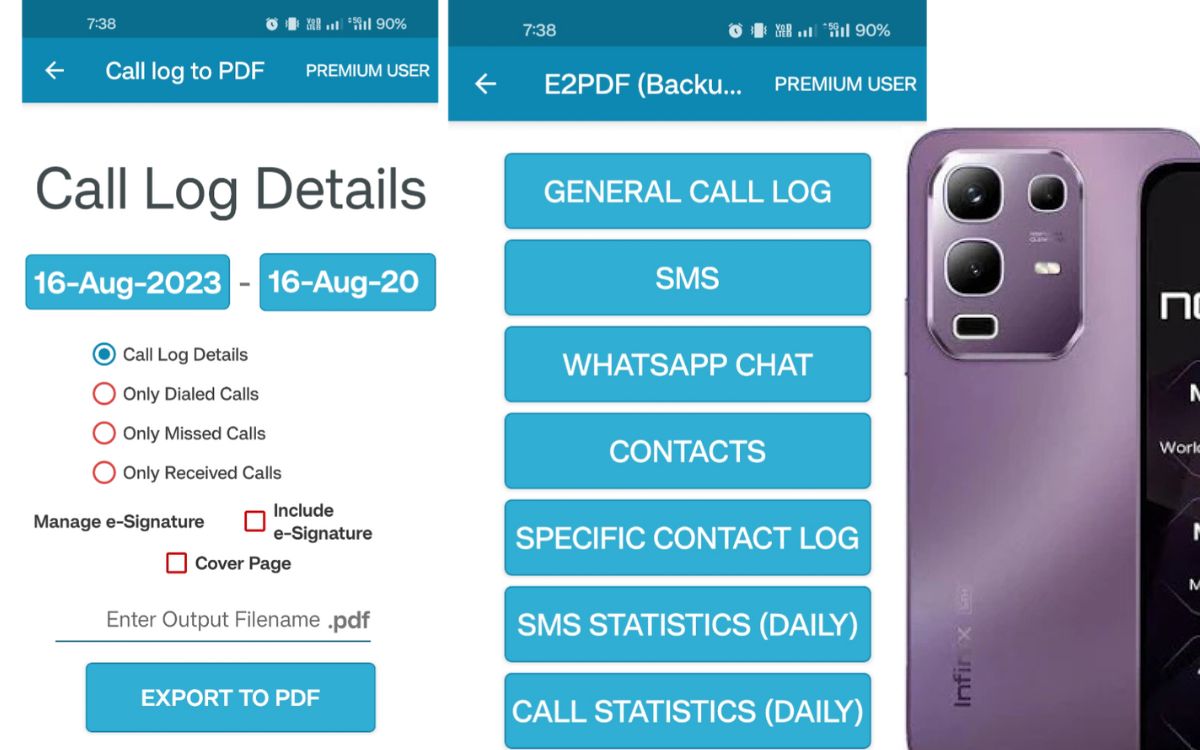
1️⃣ SMS Text Messages
You can back up:
- All conversations
- Selected threads
- Individual chats
Useful if you need records for work, personal history, or legal proof.
2️⃣ Call History
Save:
- Incoming calls
- Outgoing calls
- Missed calls
- Call durations and timestamps
Everything appears neatly inside a PDF table.
3️⃣ Contacts
You can export your phone contacts list with:
- Names
- Numbers
- Emails (if available)
This becomes very helpful when switching phones.
4️⃣ WhatsApp Backup (Limited)
E2PDF can export WhatsApp messages — but only if your phone allows the permissions properly and only for your own conversations.
It’s designed for personal records — not spying, hacking, or accessing someone else’s chats.
(That’s important for privacy and legal reasons.)
Why People Like E2PDF
✔ Extremely Easy to Use
No complicated menus — select → export → save.
✔ PDF Format
Openable anywhere, even years later.
✔ Lightweight
Runs smoothly, even on older Android phones.
✔ Selective Backups
You don’t need to back up everything — just choose the chats you want.
How to Use E2PDF (Step-by-Step)
⭐ Back Up SMS Messages
- Install E2PDF from Google Play Store
- Open the app and allow necessary permissions
- Tap SMS
- Choose:
- All messages
- Selected conversation
- Tap Generate PDF
- Save to phone / Google Drive / share via email
Done — your messages are safely saved.
⭐ Back Up Call Logs
- Open E2PDF
- Select Call Logs
- Choose date range (optional)
- Generate PDF
- Save or share
⭐ Restore (Know This First)
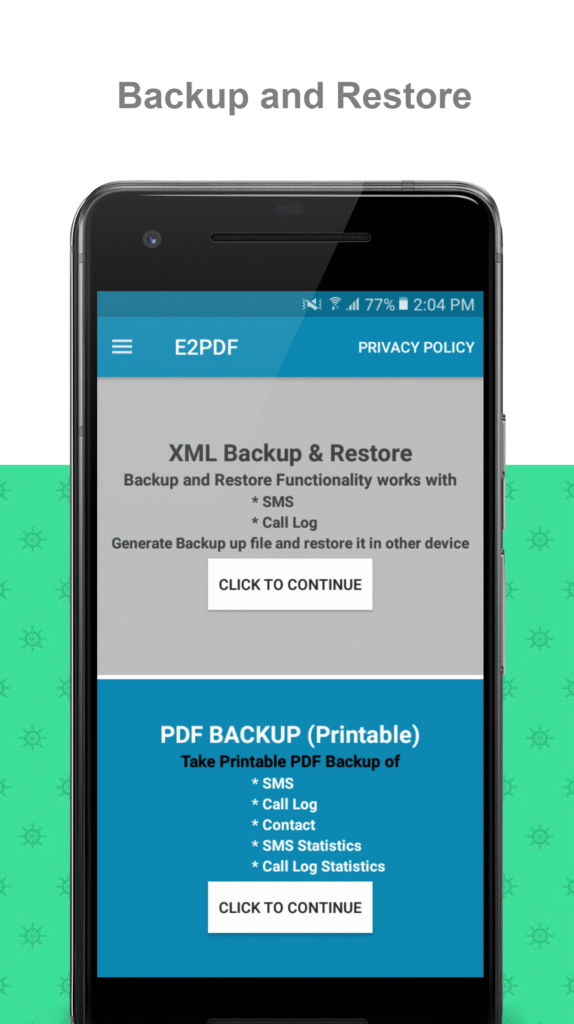
E2PDF is primarily a backup/export tool.
Restoring is limited and depends on Android permissions and versions. You can:
- View and manually re-enter stored data
- Use the PDF as a record when setting up new devices
It does not always automatically re-import SMS or calls into the phone app, especially on newer Android versions due to privacy restrictions.
➡️ So think of it mainly as secure backup storage, not full syncing like Google backup.
Is E2PDF Safe?
When downloaded from the Play Store, E2PDF is generally safe.
However — always follow best practices:
- Check app ratings and reviews
- Avoid third-party APK downloads
- Read permission requests carefully
- Never back up someone else’s messages without consent
Your data stays inside your storage unless you choose to upload it.
Pros and Cons
👍 Advantages
- Simple interface
- Fast backups
- PDF format (universal)
- Works offline
- Selective export options
👎 Limitations
- Automatic restore is limited
- PDF files can be large if chats are long
- Needs permissions to access messages and calls
Who Should Use E2PDF?
Great for:
- Business users who need communication records
- Students backing up important messages
- People switching phones
- Anyone who wants a readable log of calls and SMS
Not ideal if you want full automatic phone cloning — that’s not what this app is designed for.
Tips for Better Backups
- Store PDFs in Google Drive or Dropbox
- Use folders like: Backups → Year → Month
- Protect sensitive PDFs with passwords
- Delete old backups when no longer needed
This keeps your data safe and organized.
Final Thoughts
E2PDF – SMS Call Backup & Restore is one of the simplest tools for creating readable backups of text messages, calls, and contacts — without complicated cloud systems.
It’s:
✔ Easy
✔ Lightweight
✔ Reliable for record-keeping
Use it as your personal communication archive, not as a spying tool — and it becomes incredibly useful.