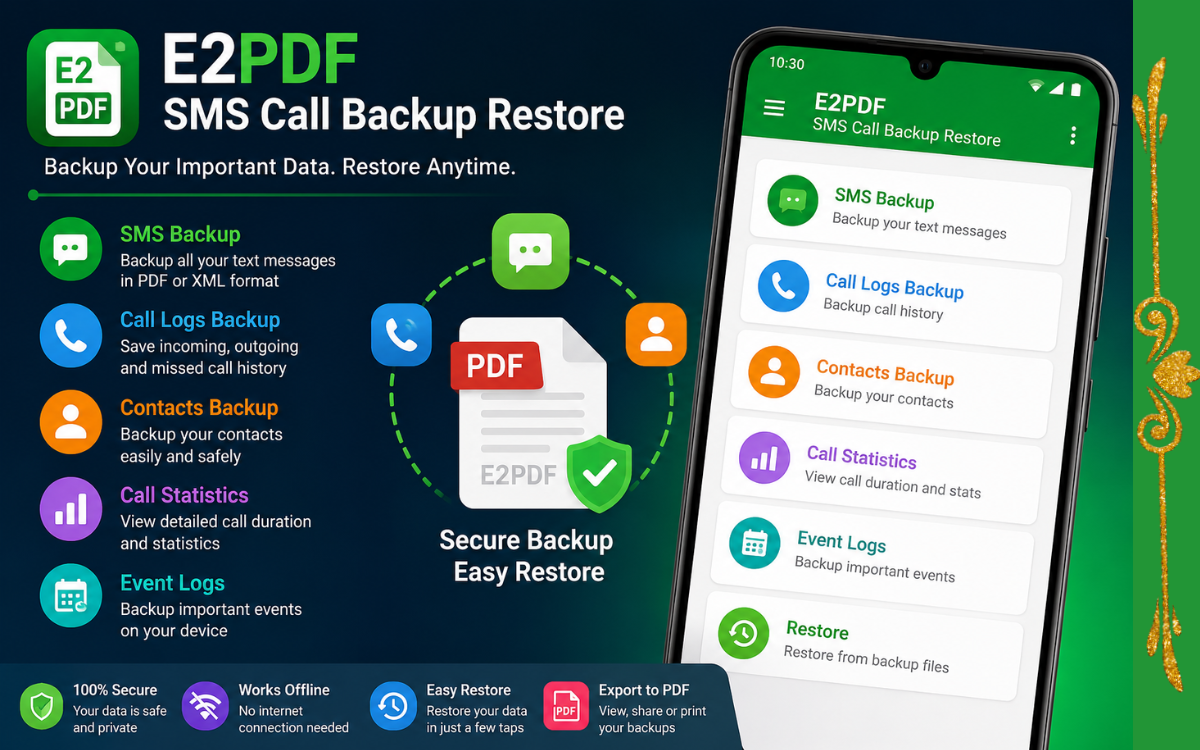
Learn how to use E2PDF SMS Call Backup Restore to securely backup and restore SMS, call logs, contacts, and more on Android. Step-by-step guide with features, pros, cons, and FAQs.
E2PDF SMS Call Backup Restore: Everything You Need to Know
Losing important SMS messages, call history, or contacts can be frustrating, especially after resetting your phone or switching to a new device. That’s where E2PDF SMS Call Backup Restore becomes useful. It allows Android users to create backups of their important data in just a few taps and restore it whenever needed.
Unlike many backup apps that require cloud storage or account sign-ins, E2PDF lets you save your data locally in PDF or XML format, making it simple to store, share, or print your information.
In this guide, you’ll learn what E2PDF is, its key features, how to use it, its advantages and limitations, and whether it’s the right backup app for your Android device.
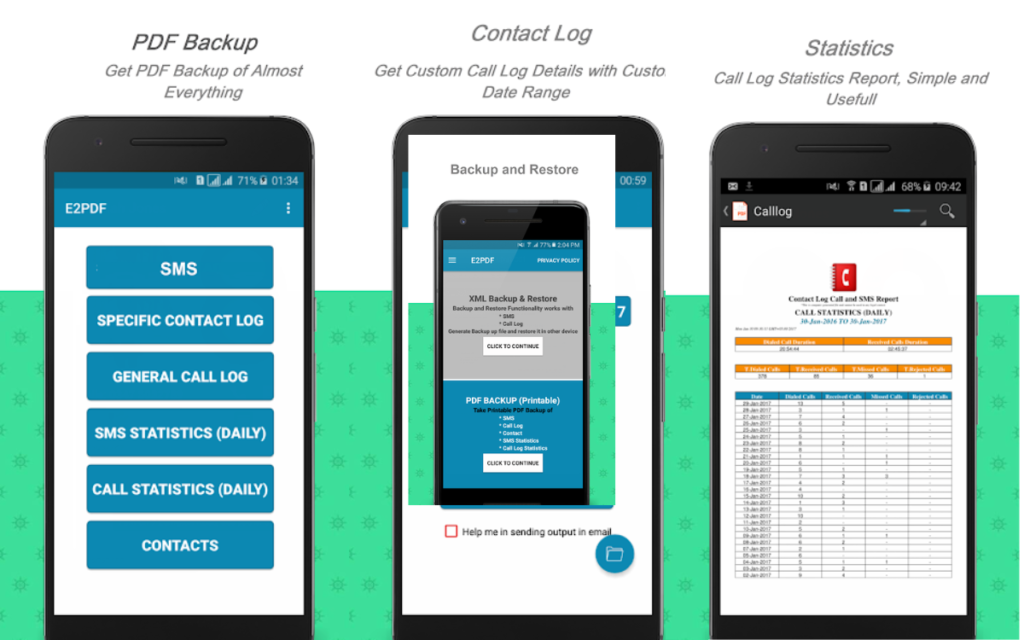
What Is E2PDF SMS Call Backup Restore?
E2PDF SMS Call Backup Restore is an Android application designed to help users back up important phone data. Depending on the permissions you grant and your device compatibility, the app can back up items such as:
- SMS messages
- Call logs
- Contacts
- Call statistics
- Event logs (on supported devices)
One of its standout features is the ability to export information into PDF format, making it easy to read or print your data. It also supports backup formats that can be used for restoration where supported.
Why Should You Backup Your SMS and Call Logs?
Many people don’t think about backups until they lose their data. A backup can save you from problems caused by:
- Factory resetting your phone
- Accidental deletion
- Switching to a new Android device
- Software crashes
- Device damage or loss
Having a recent backup means you can recover important conversations, business contacts, and call history much more easily.
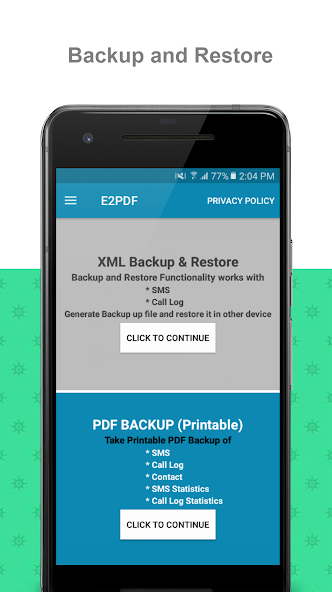
Key Features of E2PDF SMS Call Backup Restore
1. SMS Backup
The app allows you to back up your text messages so you don’t lose important conversations.
2. Call Log Backup
Save your incoming, outgoing, and missed call history for future reference.
3. Contact Backup
Create a backup of your contacts before changing phones or performing a factory reset.
4. PDF Export
Export your data into a well-organized PDF file that is easy to read and share.
5. Local Storage
Your backup files can be saved directly on your device, giving you control over where your data is stored.
6. Easy Restore
Where supported, backup files can be restored, helping you recover your information after reinstalling the app or moving to another device.
How to Use E2PDF SMS Call Backup Restore
Using the app is straightforward.
Step 1
Download and install E2PDF from the Google Play Store.
Step 2
Open the app and grant the required permissions for SMS, contacts, and call logs.
Step 3
Choose the type of data you want to back up.
Step 4
Select the backup format, such as PDF or another supported format.
Step 5
Save the backup file to your preferred location.
Step 6
If needed later, open the app and use the restore option (where available) to recover supported data.
Benefits of Using E2PDF
Some of the biggest advantages include:
- Simple and beginner-friendly interface
- Fast backup process
- PDF export for easy viewing
- Useful before factory resets
- Helpful when changing Android phones
- No need to manually copy every SMS or contact
Things to Keep in Mind
Before using the app, remember:
- Restoration features may vary depending on your Android version and device.
- Some backup and restore operations require specific permissions.
- Keep your backup files in a safe location.
- Create backups regularly if your data changes often.
Is E2PDF Safe to Use?
The app is widely used by Android users for creating backups. However, since it handles personal information such as contacts and messages, it’s a good idea to:
- Download it only from trusted app stores.
- Review the permissions it requests.
- Keep backup files stored securely.
- Avoid sharing backup files containing sensitive information.
Pros and Cons
Pros
- Easy to use
- Supports SMS, contacts, and call log backups
- PDF export option
- Helpful before factory resets
- Local backup storage
Cons
- Some restore functions may depend on Android version.
- Certain features require additional permissions.
- Backup compatibility can vary across devices.
Tips for Keeping Your Data Safe
To avoid losing important information:
- Create a backup every few weeks.
- Save backup files to cloud storage or a computer as an extra copy.
- Check that your backup files open correctly after creating them.
- Delete outdated backups that you no longer need.
Frequently Asked Questions (FAQs)
Can E2PDF back up SMS messages?
Yes. The app supports backing up SMS messages, subject to the permissions granted on your Android device.
Can I restore my SMS after a factory reset?
If you created a compatible backup before resetting your device, the app may allow you to restore supported data, depending on your Android version and device compatibility.
Does E2PDF require an internet connection?
No. Most backup functions work locally on your device.
Is E2PDF free?
The app offers free features, while some versions may include optional premium features or in-app purchases.
Can I export my messages as a PDF?
Yes. One of the app’s most popular features is exporting SMS and other supported information into a readable PDF document.
Final Verdict
If you’re looking for a simple way to protect your important Android data, E2PDF SMS Call Backup Restore is worth considering. Its ability to back up SMS messages, call logs, contacts, and export data into PDF format makes it useful for anyone preparing to reset their phone or switch to a new device.
While you should always verify that restore features are compatible with your specific Android version, creating regular backups is a smart habit. Whether you’re safeguarding personal conversations or important contact information, having a recent backup can save you time and stress when unexpected data loss occurs.